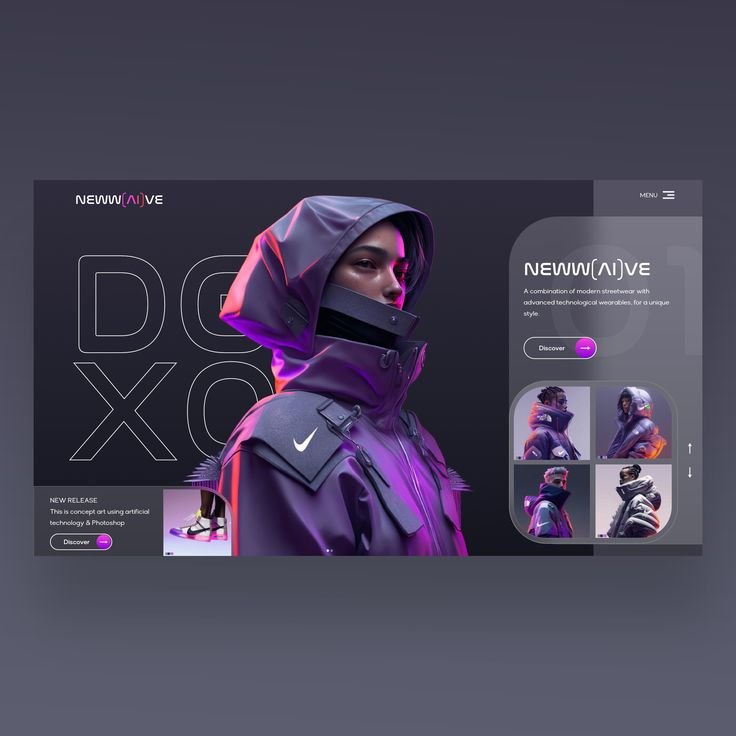
UI/UX

Categories: Web/App Design
Wishlist Share
Share Course
Page Link
Share On Social Media

About Course

UI/UX Design is the art and science of creating digital products that are both visually appealing and easy to use. In this course, you will learn how to design user-centered experiences by understanding user needs, structuring information, and creating intuitive interfaces.

From research to wireframing, and from design to prototyping, this course will guide you through the complete UI/UX design process. By the end, you will be able to design real-world applications and build a strong portfolio that can help you land jobs, freelance gigs, or start your own design journey.

What Will You Learn?

  • • The difference between UI (User Interface) and UX (User Experience)
  • • How to think like a designer using design thinking principles
  • • How to conduct user research and gather meaningful insights
  • • How to create user personas and identify user pain points
  • • How to design user flows and journey maps
  • • How to structure content using information architecture
  • • How to create wireframes for apps and websites
  • • How to use Figma for UI/UX design
  • • Core UI design principles like color, typography, and spacing
  • • How to create style guides and design systems
  • • How to design high-fidelity, professional interfaces
  • • How to create interactive prototypes
  • • How to test designs with users and improve based on feedback
  • • How to present your work as a case study
  • • How to build a strong UI/UX portfolio

Course Content

Join The Paid Student WhatsApp Group
All paid students should join the WhatsApp group link below this lesson.

  • Click here to join the group.

Week 1 (Introduction to UI/UX + Design Thinking)
This week introduces students to the fundamentals of UI (User Interface) and UX (User Experience) design, helping them understand how digital products are created for usability and user satisfaction. Learners will explore design thinking principles, understand the difference between UI and UX, and analyze real-world products to identify good and bad design practices. This builds a strong foundation for thinking like a designer.

Week 2 (UX RESEARCH FUNDAMENTALS)
This week focuses on understanding users through research, which is the backbone of effective UX design. Students will learn how to gather insights that guide product decisions. Learners will explore different research methods, when to use them, and how to conduct interviews and create research plans. This helps students design based on real user needs rather than

Week 3 (User Research Analysis & Information Architecture)
**Summary:** This week focuses on analyzing user research data and transforming insights into structured design decisions. Students will learn how to interpret findings, identify user needs, and define key elements such as personas, pain points, and user journeys. By the end of the week, learners will understand how to organize information effectively using information architecture, ensuring that products are intuitive, easy to navigate, and aligned with user expectations.

Week 4 (Introduction to Figma & Wireframing)
This week introduces students to Figma, a powerful design tool used to create digital interfaces, and the concept of wireframing as the foundation of UI/UX design. Learners will understand how to translate ideas into simple visual structures that define layout and user flow. By the end of the week, students will be able to sketch and design low-fidelity wireframes, helping them plan and visualize applications before moving into detailed visual design.

Week 5 (UI Design Principles, Style Guide, & High Fidelity Design)
This week focuses on the visual and aesthetic aspects of design, teaching students how to create clean, consistent, and professional user interfaces. Learners will explore core UI design principles, including color, typography, spacing, and visual hierarchy. By the end of the week, students will be able to develop style guides and transform wireframes into high-fidelity designs, creating polished interfaces that are both visually appealing and user-friendly.

Week 6 (Prototyping, Usability Testing & Portfolio Presentation)
This week focuses on bringing designs to life through interactive prototypes and evaluating them through usability testing. Students will learn how to create clickable prototypes, simulate user interactions, and gather feedback to improve their designs. By the end of the week, learners will refine their projects, present their work professionally, and build a strong portfolio that showcases their design process and problem-solving skills.

Student Ratings & Reviews

No Review Yet

No Review Yet